
Last updated: 2026-04-25
Quick Answer: The best safety intelligence platform connects real-time hazard detection, automated safety workflows, incident-based micro-training, and predictive risk analytics in a single closed loop. Evaluate vendors on ten core capabilities, integration flexibility, pilot structure, security posture, and total cost of ownership — not just detection accuracy.

Introduction: The Stakes of Picking the Wrong Platform
A safety intelligence platform becomes embedded in your operations — connected to your cameras, workflows, compliance records, and training programs. Choose wrong, and you create alert fatigue, compliance gaps, and a false sense of security that can cost lives.
The market has split into two categories. Traditional EHS software was built for documentation, not prevention. AI-native platforms use computer vision, automated workflows, and predictive analytics to stop incidents before they happen. Most industrial organizations need a hybrid: the closed-loop intelligence of an AI-native platform with the audit-readiness of traditional EHS tools.
This guide is vendor-neutral and evidence-based, written for VP EHS leaders, procurement teams, plant operations directors, and IT security officers evaluating their next platform.
10 Must-Have Capabilities Every Safety Intelligence Platform Needs
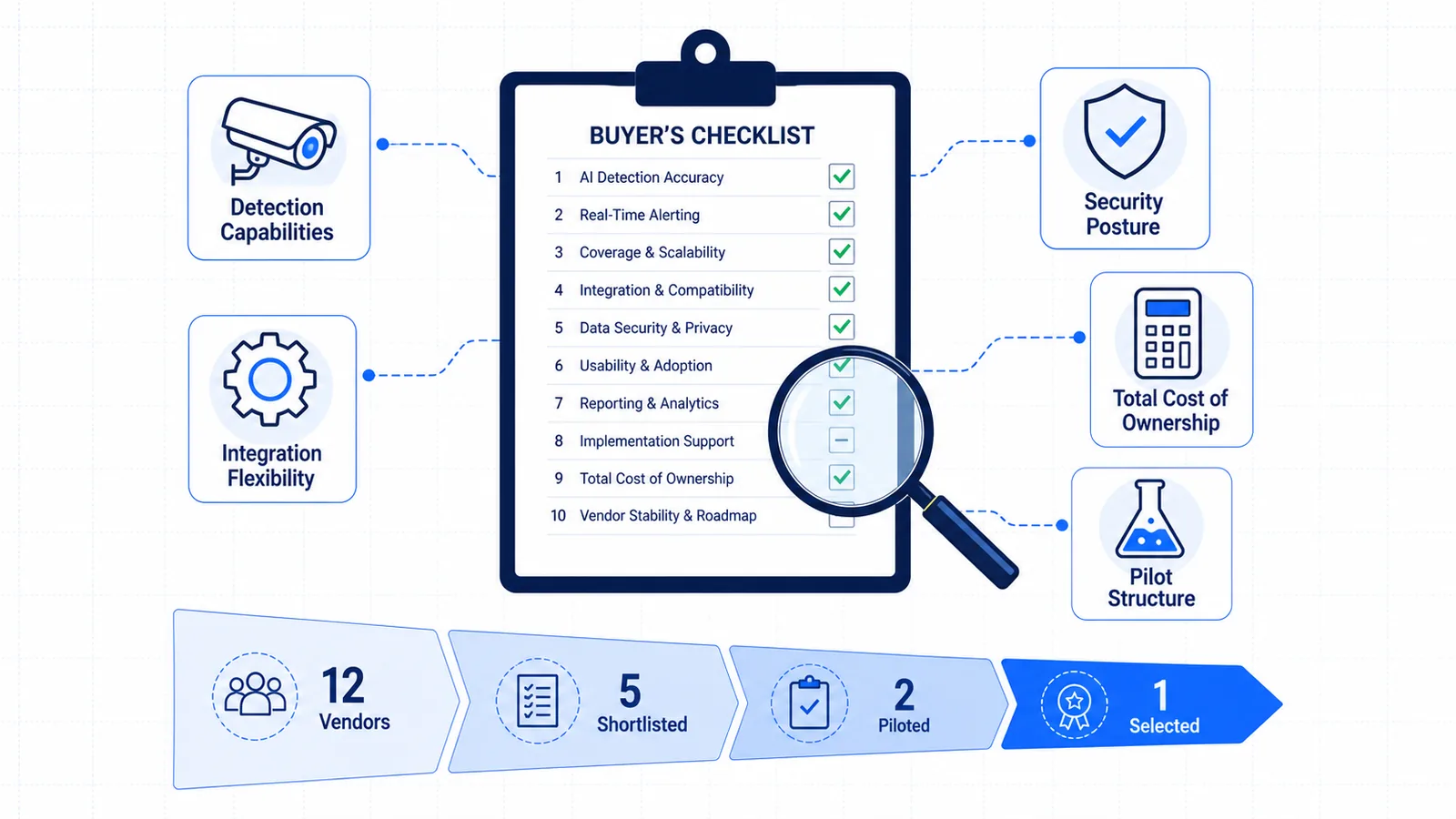
Rate each vendor 1–5 across these ten areas before you issue an RFP or schedule a demo.
1. Real-Time Hazard Detection
The platform must detect unsafe acts and conditions as they happen — PPE violations, zone intrusions, machine-guarding breaches, ergonomic risks, and environmental hazards. Key questions:
- Does it run on existing IP cameras, or require new hardware?
- What is the latency from event to alert? (Sub-5 seconds is the benchmark.)
- How many risk categories are covered out of the box?
Traditional EHS platforms have zero real-time detection. Some AI-native platforms detect narrowly. The strongest offer AI hazard detection across multiple categories with site-specific model tuning.
2. Automated Safety Workflows
Detection without action is surveillance. The platform must trigger the correct response automatically: notify supervisors, create corrective action tickets, lock permits, or escalate by severity.
- Can workflows be customized per zone, shift, or risk level?
- Does it integrate with existing CMMS or work-order systems?
- Are alerts bidirectional — can field teams confirm resolution from mobile?
Look for safety compliance automation that closes the loop from detection to documented action without manual entry.
3. Site-Specific Model Adaptation
A model trained on generic footage will fail in your facility. Your lighting, camera angles, PPE standards, and layout are unique. The platform must adapt to you.
- How long does site calibration take?
- Can it learn new hazards specific to your operations?
- Does accuracy improve over time with your team's feedback?
This separates generic tools from true Site-Specific Safety Intelligence.
4. Incident-Based Micro-Training
When a near-miss happens, most organizations email a memo or hold a toolbox talk six weeks later. Context is lost. A modern platform auto-generates short, targeted training modules from actual site incidents — delivered to the workers who need them, in their language, within days.
- Can training be auto-generated from real detection events?
- Is delivery multilingual?
- Are completion and comprehension tracked?
Incident-based micro-training turns every detection into a learning opportunity, not just a log entry.
5. Predictive Risk Analytics
Lagging indicators — TRIR, LTIF — tell you what went wrong. Leading indicators tell you what is about to go wrong. The platform should surface which zones, shifts, and conditions predict the next serious event.
- Can it score risk by zone, shift, and time period?
- Are analytics underwriter-ready for insurance discussions?
- How far in advance can it forecast elevated risk?
Platforms with strong predictive safety intelligence help you move from reactive reporting to proactive protection.
6. Audit & Compliance Documentation
Your platform will be inspected by regulators, insurers, and internal auditors. Every detection, action, and training event must be automatically documented with timestamps, evidence images, and chain-of-custody trails.
- Does it generate audit-ready reports automatically?
- Can you export evidence packages for regulatory review?
- Is there built-in support for permits and JSAs?
7. Multi-Site Visibility
If you operate multiple facilities, you need a single pane of glass. The platform should normalize data across sites so you can compare risk profiles, benchmark performance, and roll out best practices.
- Is there a unified dashboard across all facilities?
- Can you drill down from corporate KPIs to a single camera feed?
- Does cross-site data sharing improve predictive models?
8. Worker Privacy & Ethical AI Guardrails
Computer vision raises legitimate concerns. The platform must have clear privacy architecture. Is detection behavior-based and anonymous, or does it use facial recognition? Can workers access their own safety data? Is there a documented AI governance framework?
Worker trust is a safety issue. If the workforce believes the system exists to punish them, incident rates will not improve.
9. Scalable Architecture
Your pilot may start with five cameras in one plant. In year three, you may have 500 cameras across twelve sites. Ask whether deployment is edge, cloud, or hybrid; how cost scales with camera count; and what happens to latency and storage as volume grows.
10. Measurable ROI Framework
Vendors should help you define success before you sign. The platform must provide baseline metrics, improvement tracking, and financial modeling. Ask for anonymized deployment data — not marketing claims — and confirm whether a built-in ROI calculator and insurance premium tracking are available.
Ready to see these ten capabilities in action? Start a 30-day safety intelligence pilot with full platform access, existing camera integration, and dedicated onboarding — no cost, no commitment. Or schedule a demo to walk through the evaluation framework with our team.

Deployment & Integration Requirements
A platform that looks perfect in a demo can fail in production if it does not fit your infrastructure.
Camera Compatibility
| Question | Why It Matters |
|---|---|
| Does the platform work with our existing IP cameras? | Rip-and-replace adds 3–6 months and significant capital expense. |
| What about analog cameras with IP converters? | Many industrial sites still run analog infrastructure. |
| Are there resolution or frame-rate minimums? | Low-quality feeds reduce detection accuracy. |
| Can we add cameras incrementally? | You should not need to connect every camera on day one. |
Most strong platforms work with any IP camera natively and analog systems through standard converters. Confirm this before signing.
System Integration
- SSO / SAML: Can workers log in through your existing identity provider?
- API Access: Is there a documented REST API for pulling data into BI tools or CMMS?
- Webhook Support: Can the platform push real-time events to Slack, Teams, or your incident management system?
- Data Export: Can you extract raw data if you switch vendors later?
Deployment Models
- Cloud: Fastest setup, lowest IT burden. Requires bandwidth and comfort with off-site processing.
- On-Premise / Edge: Full data control, lower latency. Requires IT capacity for maintenance.
- Hybrid: Often the best fit — sensitive processing at the edge, analytics in the cloud.
Ask about edge hardware requirements, bandwidth needs, and who handles firmware updates.
The Proof Phase: What a Real Pilot Should Include
A 30-minute demo proves the UI looks good. A 30-day pilot proves the platform works in your environment. Do not commit to a multi-year contract without structured proof.
Week 1–2: Baseline & Integration
Connect 3–10 existing cameras in a high-risk zone. Calibrate detection models to your PPE standards and layout. Integrate SSO and one workflow. Establish baseline metrics: daily detections, response time, training completion.
Week 3: Operational Validation
Run live with real alerts to real supervisors. Measure alert-to-action time — target under 2 minutes for high-severity events. Gather worker feedback on accuracy versus noise. Test one automated workflow end to end: detection → alert → corrective action → closeout.
Week 4: Impact Measurement
Compare pilot metrics to baseline. Generate one incident-based micro-training module for a test group. Run a mock audit: can you export an evidence package in under 10 minutes? Document ROI assumptions: incident reduction, time saved, compliance risk lowered.
Pilot Exit Criteria
Define success before the pilot starts:
| Criterion | Target | Measurement Method |
|---|---|---|
| Detection accuracy | >90% precision on top 3 risk categories | Manual review of 50 random alerts |
| Alert latency | <5 seconds from event to notification | Timestamp comparison |
| Workflow closure rate | >80% of alerts closed within 24 hours | Platform dashboard |
| User adoption | >70% of target supervisors actively using alerts | Login and action tracking |
| Audit readiness | Evidence package exported in <10 minutes | Timed mock audit exercise |
A 30-day safety intelligence pilot should include dedicated onboarding, model calibration, and a structured readout — not just a login and a prayer.
Security & Compliance Checklist
Safety platforms handle sensitive operational data, worker images, and compliance evidence.
Data Handling & Privacy
- Where is data processed? At the edge, in the cloud, or both? Which regions?
- How long is video retained? Can you configure retention policies per site?
- Is PII separated from detection data? The best platforms process video for safety events without storing identifiable footage unless required for investigation.
- Who has access? Role-based access control with principle of least privilege is essential.
Certifications & Standards
| Certification | What It Proves | Should You Require It? |
|---|---|---|
| SOC 2 Type II | Security controls audited over time | Yes — table stakes for cloud platforms |
| ISO 27001 | Information security management system | Yes — especially for global organizations |
| GDPR / CCPA compliance | Data subject rights and lawful processing | Yes — if you operate in covered regions |
| NIST Cybersecurity Framework | Risk-based security posture | Strongly preferred for critical infrastructure |
Note: No software platform can guarantee regulatory compliance for your specific industry and jurisdiction. Certifications are designed to support your compliance program, not replace legal review.
AI Governance
- Is there a documented model card or AI transparency report?
- How are false positives and false negatives tracked?
- Can your team audit detection logic, or is it a black box?
- Is there a human-in-the-loop requirement for high-severity escalations?
Total Cost of Ownership: Beyond the License Fee
The sticker price is rarely the real price. Model the full three-year cost.
TCO Components
| Cost Category | Traditional EHS Software | AI-Native Platform | Questions to Ask |
|---|---|---|---|
| Annual license | $15K–$80K/site | $40K–$200K/site | Per-camera, per-site, or enterprise? |
| Implementation | $5K–$20K | $20K–$60K | Is pilot implementation free? |
| Camera hardware | $0 (no cameras) | $0–$50K | Does the vendor require new cameras? |
| Edge hardware | $0 | $2K–$10K/site | What GPU or edge device is required? |
| Integration / IT | $5K–$15K | $10K–$40K | Are API and SSO included? |
| Training & change management | $3K–$8K | $10K–$25K | Is training content included? |
| Ongoing support | 15–20% of license | 15–20% of license | Is 24/7 support included? |
| Storage & bandwidth | Low | Medium–High | Cloud video retention adds up. |
Hidden Cost Traps
- Per-camera pricing that penalizes coverage. Look for site-based or tiered pricing.
- Professional services for every configuration change. If you need a vendor engineer to add a detection category, costs accumulate.
- Training content creation fees. Platforms that auto-generate training from incidents save ongoing production costs.
- Data export fees. Some vendors charge to extract your own data. Confirm portability upfront.
- Upgrade costs for model improvements. Ask whether detection updates are included in the license.
The ROI Equation
The National Safety Council estimates the average cost of a workplace injury at $42,000 per case, with serious injuries running into the hundreds of thousands (third-party statistic). Add insurance premium reductions, audit time saved, and reduced manual administration, and a well-implemented platform often shows positive ROI within 12–18 months (illustrative example based on industry benchmarks).

Red Flags: 7 Warning Signs to Avoid in a Vendor
1. Black-Box Detection. If the vendor cannot explain how a detection decision is made, you are buying trust without verification.
2. One-Size-Fits-All Models. A platform that claims to work perfectly without calibration is overselling or underperforming. Real accuracy requires site-specific adaptation.
3. No Closed Loop. Platforms that detect hazards but do not automate workflows or generate training are surveillance tools, not safety systems.
4. Camera Lock-In. Vendors who require proprietary cameras add cost and reduce flexibility. Your platform should work with your existing infrastructure.
5. Weak Data Governance. If the vendor cannot provide a clear data processing agreement and evidence chain of custody, your compliance team will eventually block deployment.
6. Pilot Lite. A pilot that is just a restricted demo — no real camera integration, no live alerts, no measurable outcomes — proves nothing. Insist on production-equivalent proof.
7. Vague ROI Promises. "Reduce incidents by 50%" without methodology, baseline data, or comparable references is a marketing claim, not a forecast. Ask for anonymized deployment data.
The SAFVR Evaluation Framework
Every buyer should create their own weighted scorecard. Below is a neutral framework you can adapt, with notes on how SAFVR AURA maps to each area.
Sample Weighted Scorecard
| Capability | Weight | Your Requirement | How to Score |
|---|---|---|---|
| Real-time detection | 20% | Multi-category, <5s latency | Pilot measurement |
| Automated workflows | 15% | Custom per zone/shift | Workflow test |
| Site-specific adaptation | 15% | <2 week calibration | Timeline review |
| Micro-training | 10% | Auto-generated, multilingual | Content demo |
| Predictive analytics | 10% | Zone-level risk scoring | Analytics walkthrough |
| Audit & compliance | 10% | Auto-documentation | Mock audit |
| Multi-site visibility | 10% | Unified dashboard | Architecture review |
| Privacy & ethics | 5% | Anonymous detection | Policy review |
| Scalability | 3% | 500+ camera roadmap | Reference check |
| ROI framework | 2% | Baseline + tracking | Methodology review |
How SAFVR Approaches Each Area
SAFVR AURA runs as a continuous loop — DETECT → ACT → IMPROVE → PREVENT — rather than disconnected modules. A closed-loop system improves itself: every detection feeds a workflow, every workflow generates training, and every training event improves the predictive models that prevent the next incident.
Detection: Works with existing IP cameras and most analog systems through standard converters. No rip-and-replace. Models are fine-tuned per site for PPE standards, lighting, and layout.
Workflows: Automated incident response, permit-to-work integration, corrective action tracking, and audit coordination. Alerts route by zone, shift, and severity with bidirectional mobile confirmation.
Training: Incident-based micro-training is auto-generated from actual site events and delivered in multiple languages. Completion and comprehension are tracked per worker.
Prevention: Leading indicator dashboards score risk by zone, shift, and time period. Cross-site correlation improves prediction accuracy as you add facilities.
Security: SOC 2 Type II certified, GDPR-compliant architecture, anonymous behavior-based detection (no facial recognition), and role-based access control.
Pilot: A structured 30-day safety intelligence pilot with dedicated onboarding, model calibration, live production integration, and measurable readout.
This framework forces a structured, evidence-based comparison so your team selects the platform that genuinely reduces preventable risk events in your environment.
Frequently Asked Questions
What is the difference between a safety intelligence platform and traditional EHS software?
Traditional EHS software is primarily a documentation and compliance tool for logging incidents and managing audits after the fact. A safety intelligence platform adds real-time detection, automated workflows, and predictive analytics to prevent incidents before they occur. Most mature organizations use an integrated approach: a safety intelligence platform for real-time operations, connected to EHS software for regulatory documentation.
How long does it take to evaluate a safety intelligence platform?
A thorough evaluation typically takes 8–12 weeks: 2–3 weeks for vendor demos and reference checks, 2–4 weeks for a structured pilot on live cameras, and 2–3 weeks for internal stakeholder review and procurement. Avoid vendors who pressure you to sign before a production-equivalent pilot.
Can a safety intelligence platform work with our existing cameras?
Yes — if you choose the right vendor. Leading platforms connect to any ONVIF-compliant IP camera without hardware replacement. Most analog systems integrate through standard IP converters at a fraction of the cost of a full camera upgrade. Always confirm camera compatibility before signing.
What should a safety platform pilot actually prove?
A pilot should prove four things: (1) detection accuracy in your actual environment, not a lab; (2) alert-to-action workflow closure within your operational constraints; (3) measurable improvement in at least one safety metric compared to baseline; and (4) audit-ready documentation your compliance team trusts. If a pilot lacks live production integration and measurable outcomes, it is a demo, not a proof.
How do we justify the budget to our CFO or risk committee?
Frame the investment around total cost of ownership and quantifiable risk reduction. Include direct injury costs (NSC average: $42,000 per case, third-party statistic), insurance premium exposure, regulatory fine risk, and operational savings from automation. A platform that prevents 3–5 recordable incidents per year typically pays for itself. Underwriter-ready leading indicator reports can also support premium negotiations.
Conclusion: Buy the Loop, Not the Feature
The biggest mistake buyers make is evaluating safety platforms feature by feature. But safety is a system, not a checklist. The platform you choose must connect detection, action, improvement, and prevention into a single closed loop. Otherwise, you are buying expensive fragments that leave gaps where incidents still happen.
Use the framework in this guide. Build your scorecard. Run a real pilot. Ask hard questions about integration, security, and total cost of ownership. And demand evidence — not promises — that the platform reduces preventable risk events in environments like yours.
If you are ready to evaluate SAFVR AURA against your criteria, we offer a structured 30-day safety intelligence pilot with full platform access, existing camera integration, and dedicated onboarding. No cost. No commitment. Just proof.
